 NFC Expert
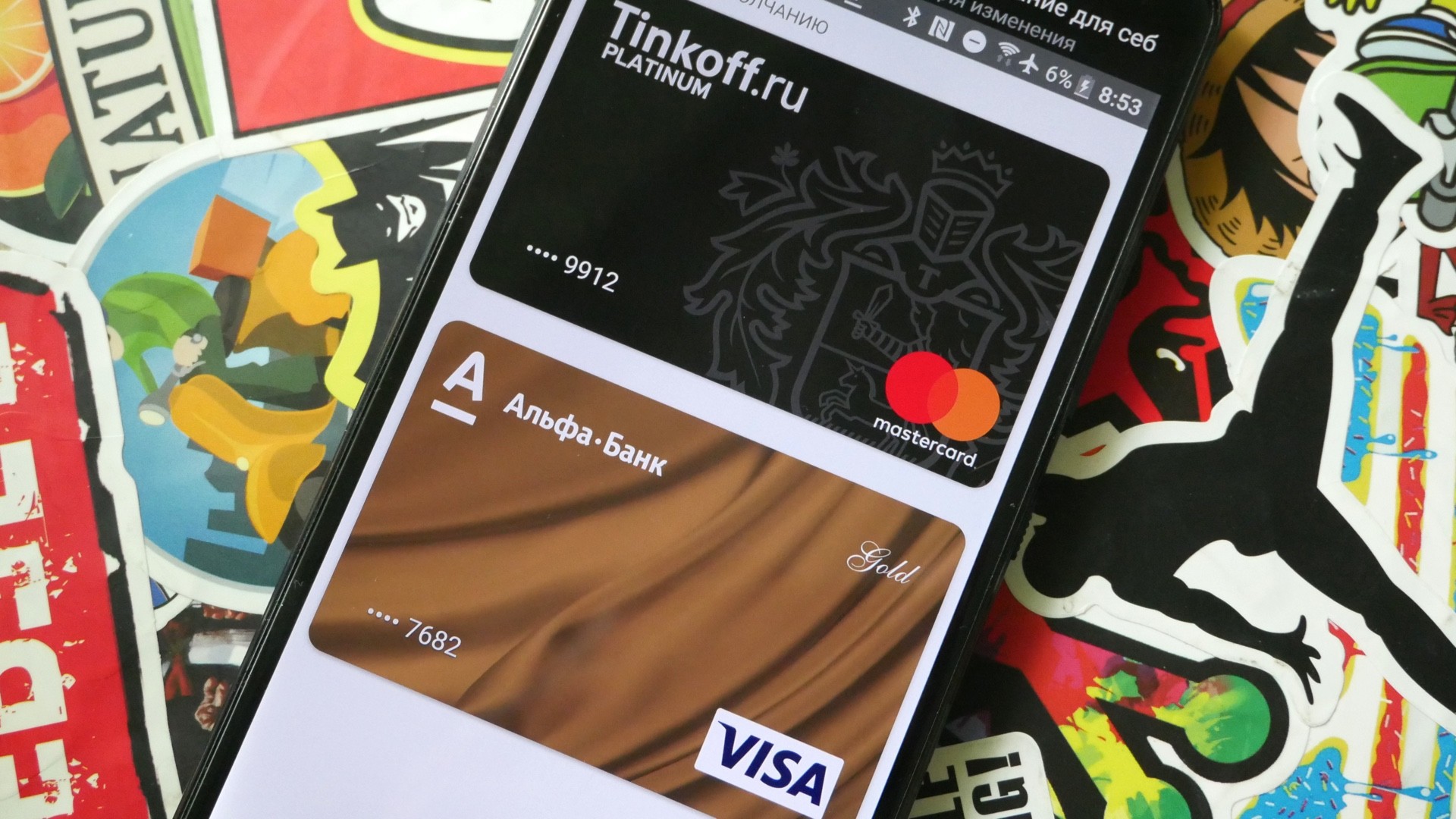
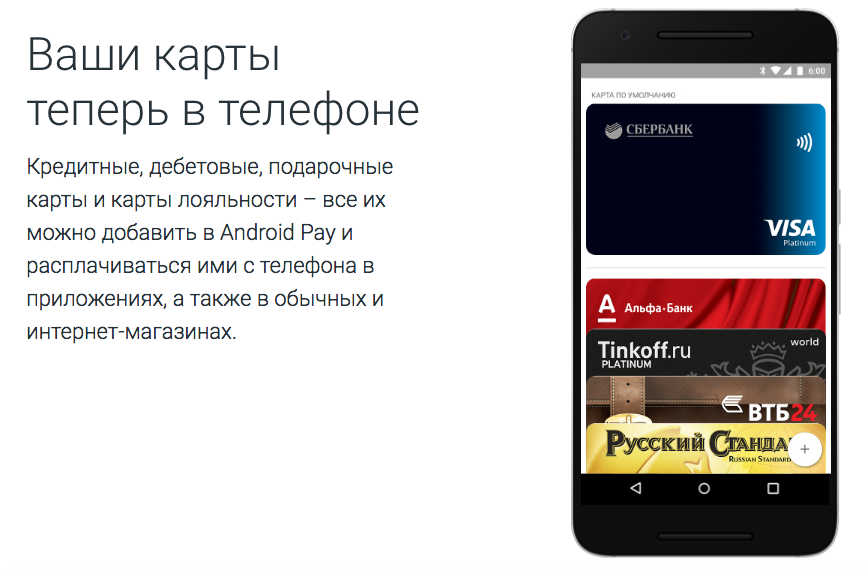
 Which cards can be connected to Android Pay
- Alfa-Bank;
- Ak Bars Bank;
- Binbank (only MasterCard at the time of launch);
- VTB24;
- “MTS Bank”;
- Otkritie (including Rocketbank and Tochka);
- Promsvyazbank
(only MasterCard at the time of launch);
- Raiffeisenbank;
- Rosselkhozbank;
- Russian Standard (only MasterCard at launch);
- Sberbank;
- Tinkoff Bank;
- Yandex. Money” (only MasterCard).
This list will expand in the future.
Requirements for devices and payment terminals
Android Pay can be connected to NFC-enabled devices running Android KitKat (4.4) and later – Lollipop (5.0, 5.1), Marshmallow (6.0) and Nougat (7.0, 7.1).
An important condition is that the official firmware must be installed on the device, and it must not be rooted and the bootloader must not be unlocked. Usually these actions are performed when changing the firmware.
The system requirements are very democratic: the smartphone must run on Android version 4.4 KitKat or higher, and, of course, have an NFC chip directly for making payments. But there are several important limitations that are associated with ensuring the confidentiality of payment data. First, the device must have official, Google-certified firmware installed.
Developer versions and third-party firmware are not supported by the system. Secondly, the bootloader must be locked, and root rights must be disabled. How to get around these restrictions, read in our material. Thirdly, several smartphone models are not supported (the full list can be found here), and the Knox service must be disabled on Samsung devices.
If all the requirements are met, then using Android Pay it will be possible to pay in the vast majority of terminals that support contactless payment. For example, VeriFone VX 820, popular in Russian stores, supports technology from Google. However, the presence of one of the following logos on the terminal will be a full guarantee.
Apple Pay, launched in Russia on October 4, 2016, also works with most contactless payment terminals, but not many devices support the technology. These are all iPhones released in 2014 or later (that is, those with an NFC chip), both generations of Apple Watch, and laptops with Touch ID (for online shopping).
Samsung Pay, which has been operating in Russia since September 29, 2016, is similarly supported by all flagships of the S and Note lines, starting from 2015 (with NFC on board), the A model range of 2016 and 2017, as well as “smart” Gear S3 watch. However, the South Korean service stands out from the competition with its Magnetic Secure Transmission (MST) technology, which Samsung has exclusive rights to.
However, Samsung also sets a significant limitation: their payment service will work correctly in Russia only on devices certified by Rostest, that is, on “white” devices. If the device is “gray” or purchased abroad, you will have to play around a bit: install Russian firmware (SER region) or install the Russian framework, and then the Samsung Pay service itself.
What banks and cards does it work with
At the time of launch in Russia, the payment system works with Visa and MasterCard cards of the following banks: AK BARS Bank, Alfa-bank, Binbank, VTB-24, MTS Bank, Otkritie (and its constituents Rocketbank and Tochka), Promsvyazbank , Raiffeisen Bank, Rosselkhozbank, Russian Standard, Sberbank, Tinkoff Bank, as well as with Yandex. Money. Since its launch, the vast majority of large Russian offline retailers have supported the technology.
There is reason to believe that in the near future the list will be replenished, as it happened with the services of competitors. Apple Pay in the first month in Russia cooperated with only nine banks, and at the time of publication of the material, there were already 14 banks on the list (including Sberbank), plus the Yandex. Money. At first, Samsung also had an agreement with a small number of banks, and only MasterCard could be connected. Today, the technology is supported by Visa, and a total of 15 banks operating in Russia, plus the same Yandex. Money.
The system was launched in Russia in the spring of 2017. VISA and MasterCard are accepted for payment. The addition of the “MIR” format is expected. The list of banks is presented in the table below.
Rosselkhozbank
VTB 24
Yandex. Money
Alfa Bank
BINBANK
Tinkoff
Russian standard
Raiffeisenbank
Promsvyazbank
Bank opening”
“AK BARS” Bank
Dot
MTS Bank
Not each of the listed banks allows you to connect all types of credit cards, details must be checked with the specialists of the relevant institution.
Back to article list
Data protection
The security technology of Android Pay is no different from that of Apple Pay or Samsung Pay. It is based on the principle of tokenization, when for each transaction in the “cloud” a unique set of characters is formed – a token – instead of the real details of the payment card connected to the service. This does not mean that every payment with Android Pay will require an internet connection.
Tokens are generated in advance when synchronizing the application with servers, stored in the device’s memory and “taken” from there when making a payment. Real data is encrypted, stored on Google servers and used only when generating tokens, that is, without being tied to any of the transactions. However, a large number of supported devices from different manufacturers means that Google will only protect data on its server and at the OS level, unlike Apple and Samsung, which allocate special storage for these purposes in each device.
Android Pay cryptosystem
Of course, the payment process itself is also protected. Android Pay doesn’t require you to scan your finger like it does on Apple devices (where it only asks for a password after a few failed scan attempts), which makes sense given the lack of a fingerprint scanner on many Android devices. The Google service uses the same security method as a screen lock, whether it’s a fingerprint scanner, PIN code, pattern or face recognition. If the screen lock is disabled on the device, Android Pay automatically erases the data about the connected card – they will have to be entered again.
In case of loss, or if the device was stolen, you can remotely lock it, change the password or erase all data using the Android Device Manager service on any computer connected to the Web.
Apple Pay rightly considers tokenization, Touch ID, and the Find My Phone remote lock service for a lost or stolen device to be sufficient to protect user payment information. Therefore, in addition to them, it clearly does not use any technologies.
Samsung Pay, in addition to tokens and biometric sensors, offers its own Knox security program. It also encrypts card data and monitors activity, alerting you to suspicious account transactions.
Online and App Purchases
In Russia, almost every retail chain has such terminals – Azbuka Vkusa, Pyaterochka, Perekrestok, Karusel, Magnit, OK, Eldorado, H{amp} amp;M, Starbucks, KFC, Burger King, Teremok, Doubleby, Rosneft, Bashneft and so on. Until the end of 2017, Sberbank, which serves 1.1 million terminals, promises to add the possibility of contactless payment to all its devices.

To pay for goods and services, you need to “wake up” the device with the Android Pay application and bring it to the terminal for a few seconds. If the operation is successful, a message about it and an image of the card used will appear on the screen.
In some cases, the cashier may ask you to enter a PIN code or sign a check. It depends on the settings of the bank that issued the card and the terminal. As a rule, in Russia, when making contactless payments, you need to enter a PIN code for a transaction worth more than 1,000 rubles.
Android Pay allows you to make three transactions in a row without unlocking the phone for up to 1000 rubles each, on the fourth, the user will need to unlock the phone using a pattern or fingerprint. The “counter” of transactions is reset if the user has unlocked the phone between them.
If the user has connected several cards, then one of them will need to be selected as the standard one, which will be used by default. To use another card, before paying, you need to open the application and select the desired card – if necessary, it can be assigned as a standard for the future.
With Android Pay, you can also pay for purchases in some mobile applications and on websites through the mobile version of Google Chrome. In such cases, the “Pay with Android Pay” button will appear on the payment page.
In some services (for example, in Uber), you can use Android Pay as one of the permanent payment methods. At the start of the system in Russia, the service will be available in Lamoda, OneTwoTrip, Rambler/Kassa and Afisha, and later it will appear in Delivery Club, Kinokhod, Ozon, Yandex. Taxi” and other applications.
Google’s website has instructions for developers who want to enable payment in their apps and websites via Android Pay. In Russia, payments via Android Pay can be accepted using Yandex. Cashier”, Assist and Payture.

To make purchases on the site or in the application using Android Pay, the retailer must place a special button. Of course, information for developers on this part, as well as on the entire service, is in the public domain. At the same time, the data is protected in the same way as when paying at the terminal, so there is still no need to worry about information leakage.
By clicking on the Pay button with a green robot, the user enters the Android Pay application, where he confirms the payment, and the purchase is almost instantly considered paid. Of course, the device must meet the requirements, and the user must be registered in the Android Pay system for a successful payment.
https://www.youtube.com/watch?v=5rGp_XVGLQg
Apple and Samsung offer in-app purchases in exactly the same way. The store adds a corresponding button to its website and application, and the user can pay for the purchase, not only without looking into the wallet – without even leaving the current application. Of course, the button will be present only when using equipment that meets the requirements of Apple or Samsung, respectively.
How to start using Android Pay
All payment systems used on mobile devices work in much the same way. In our case, the procedure is as follows:
- unlock the phone;
- bring it to the terminal for a few seconds until a payment message and an image of your credit card appear;
- depending on the terminal and the conditions of the financial institution, it may be necessary to enter a PIN code or sign;
- if several cards are connected, go to the application, select the one you need and only after that apply it to the terminal;
First of all, you need to install the Android Pay application from the official Google store or from the apk file. The application interface is simple, intuitive and similar to other services of the company, so you won’t have to get used to anything. Of course, you can add several cards and assign the main one for payment by default.
After that, you can safely go to a store or website that supports contactless payments. To pay in a supermarket, it is enough to unlock the smartphone and bring it to the terminal without launching the application – the money will be debited from the card by default.
Loyalty cards
In addition to bank cards in Android Pay, you can save gift and bonus cards of retail chains, which entitle you to receive discounts on purchases. To connect such a card, the user needs to scan its barcode using a phone.
As planned, in the store, the user should open the desired loyalty card on the phone and show the device to the cashier for scanning or manual input of the barcode. Android Pay can also alert the user if they are near a store that accepts one of their cards.
Results
Despite the fact that the mobile payment market in Russia has been occupied by Apple and Samsung for more than six months (and don’t forget about bank applications that also allow you to make payments using your smartphone), Android Pay has very good chances, at least on an equal footing take a place among other services, and there are three reasons for this.

First, the mobile payment market itself is growing all over the world, including in Russia, which means it is too early to talk about final segmentation. The second reason is the already mentioned number of Android devices, which are used by a significantly larger number of people than the flagships of Apple and Samsung. Finally, the third is a bet on loyalty programs that Google makes. Even before the launch of Android Pay in Russia, it became known about discounts for passage to the Moscow metro and the MCC using the application.
Users can only hope that this is not the last loyalty program, and that banks and stores will be willing to cooperate with Google. This will not only greatly simplify the life of buyers with Android smartphones, but also spur healthy competition in the market, thereby developing the economic situation as a whole.
Pros:
- number of supported devices;
- several ways to protect payments;
- active loyalty program.
Cons:
- does not work on third-party firmware;
- There is no dedicated data protection area in devices.
Lyricist: Max Dvorak
Requirements for devices and payment terminals
Google guarantees that Android Pay does not use information about cards connected to the service. The system creates virtual “copies” for them, the data of which is transferred to the seller, and the data on real cards is stored on Google servers.
When Android Pay is launched for the first time, the user will need to set up security on the phone, such as a gesture or fingerprint lock. Turning off phone security will delete data from the Android Pay app.
If the device is lost, it can be locked or erased using Android Device Manager. Also, data from Android Pay is automatically erased if the device is inactive for 90 days or more.
#Google#Russia#banks#Android_Pay