 NFC Expert
 Contactless payment methods – what is it?
Contactless payment options mean payment for goods with a bank card without installation in the reader. It is enough to bring a “credit card” at a distance of 10 cm from the terminal and the amount corresponding to the purchase will be debited from the account. If the check is less than 999 rubles, then you do not need to enter a pin code. Thanks to NFC technology, users can pay with a phone, watch or bracelet that has a chip embedded in it.
As for the bank card, the radio wave icon should be displayed on it, and there is also an inscription: “PayWave” or “PayPass”.
In simple terms, NFC (stands for Near Field Communication) is contactless payment through a mobile device. This technology was introduced to the world back in 2004. It is a high-frequency communication between devices for the purpose of transmitting any data.
At first glance, it looks like Bluetooth, which is already familiar to many, but this connection is supported only within a small radius – no more than 10 cm. One of the main areas of application is paying for goods or services with a smartphone, without the need to use a bank map.
How secure are NFC payments?
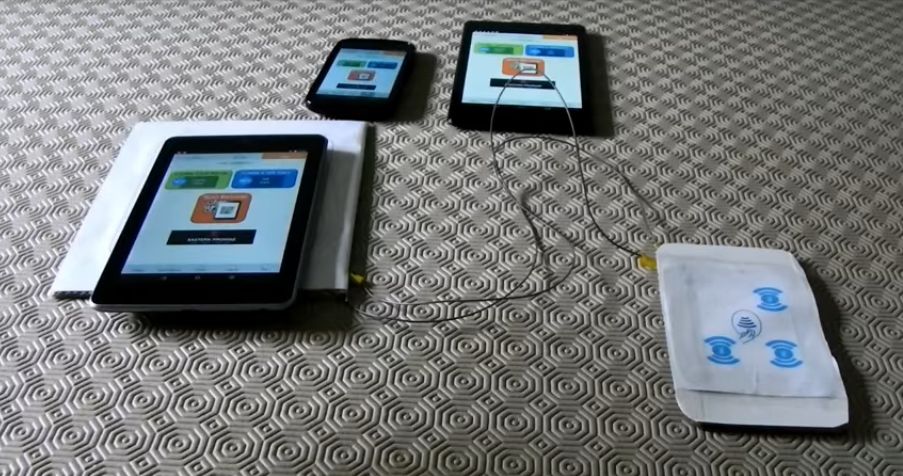
To use the phone as a debit card, you need to install a specialized application:
- Apple Pay;
- Android Pay;
- Samsung Pay.
There are also third-party programs that allow you to pay for any products offline from your phone.
System for Apple
Apple Pay is a system for making payments through a linked card. The application was developed by Apple Corporation.
The software is compatible with Sberbank, VTB and Tinkoff. To install the software on a mobile device, you must have:
- iPhone 6 or newer;
- debit or credit card with NFC;
- account.
To link a bank card, use the built-in Wallet program. After app launch:
- click on the inscription: “Adding a card”;
- enter the number, full name, year and month of expiration of the card;
- at the next step, the compatibility of the card is automatically checked;
- if the identification is passed, click on the “Next” button.

When the linking is completed, you can pay for any purchases using your phone.
Android system
NFC applications allow users to pay directly from their smartphones after they have programmed their banking details. Examples of these apps are Apple Pay and Android Pay. While Apple Pay and Android Pay are the most popular NFC payment apps, they are not the only NFC apps you can use for secure transactions. There are other NFC applications that work equally well. Here are the top 5 NFC payment apps for secure transactions.
The undoubted advantages of using this technology include:
- Security. The connection between devices is established in just a fraction of a second, and the radius of influence is only a few centimeters. Thanks to this, you can, for example, pay for purchases in a store and not worry about the safety of your data.
- Convenience. The technology works in such a way that interference in the process is minimal. For example, a bank card is linked to the phone once and subsequently no payment data is required.
- Small size. The NFC chip is very small and does not affect the size of the gadget or its weight in any way.
- Save energy. By itself, this chip does not require large amounts of energy, which means that this will not significantly affect the operating time of the smartphone.
- Does not require additional payments. NFC does not have any subscription fees or other recurring fees.
- Shopping speed. There is no need to look for a card in a bag or pockets, and then dial a pin code, which means that you can make a payment a little faster.
But still, you should pay attention to some nuances that you should immediately remember:
- Not all smartphones have an NFC chip. This technology is quite common and is found on mobile devices from various manufacturers, but still, at the moment, not every phone supports the contactless payment function.
- The chip is powered by the smartphone, which means that if the phone is turned off or the battery runs out, the payment will not work.
- Some companies and institutions do not use technology in their establishments. In other words, not all payment terminals have a chip, thanks to which you can pay only with a smartphone.
- Since the technology has a low transfer rate, it is not recommended to use it to send large files such as photos, videos, audio.
As mentioned earlier, NFC technology is now used on many devices. The chip is already installed in the smartphone by the manufacturer. If it is not there, it is possible to purchase a special tool in an electronics store – an NFC antenna.
In addition, at the moment, many mobile operators make SIM cards with contactless payment support. Data about the connected card and the payments made are not stored in the smartphone’s memory, but in the chip itself.

It is very important to understand that contactless payment technology is not a ready-made application or program, but only an interface, i.e. base for data exchange. Therefore, in order to use all its features, you need to install at least one application on your smartphone. Thanks to the developers, the choice is quite wide. Below we will consider the main programs for paying through nfs. They are based on the two most popular types of OS.
Apple Pay
This application is available for all owners of gadgets on the IOS operating system.
It is downloaded and installed through the official App Store. Only “young” iPhones are equipped with a payment chip. At the moment, Iphone6, 7, 8, 10 and X, as well as their extended versions, can boast of this feature.
Android Pay
A very popular app among android smartphone users. Installed for free through the Play Market.
Samsung Pay
This is a more focused payment app than the previous two.
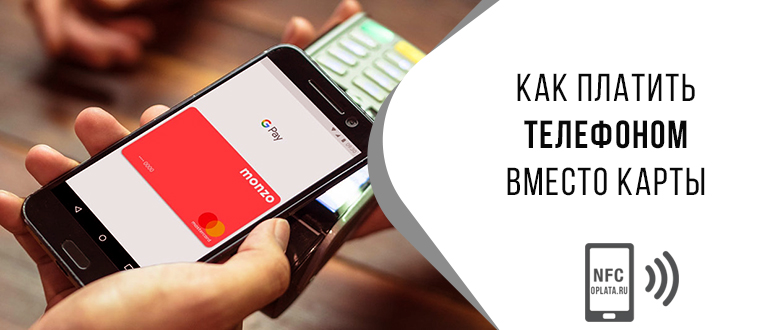
It is available only for those who have a Samsung smartphone.
However, only the latest versions of smartphones support contactless payment – A5, A7, S6, S7 and their analogues closest in terms of release date and modifications.
NFC technology
In fact, the principle of operation of this technology is quite simple – the user links his bank card to an NFC-enabled device and can then pay via phone.
This saves a lot of time and also eliminates the need to always carry a card with you. One of the most important characteristics of NFC can be called its high speed of operation – 0.1 seconds, and no additional actions are required for activation. It is enough just to bring your smartphone to the payment terminal and the contact between the two gadgets will be established automatically.
There are two types of NFC chip operation:
- Active. File sharing mode between two devices.
- Passive. The mode of receiving or transmitting files without feedback (most often this mode is used as a travel or pass).
User Initiation
Customers must actively initiate the contactless payment process to initiate each transaction. This usually involves running the appropriate NFC app on the phone to set up a connection between the device and the merchant’s reader. This way, even if an intruder gets close enough, they can’t do harm while on standby.
Which phones support
Sberbank was one of the first to use this technology in Russia.

Following him, his other colleagues in the workshop began to join. To date, the list is as follows:
- Alfa Bank;
- Rocketbank;
- VTB24;
- Tinkoff;
- Opening;
- Dot;
- MTS-Bank;
- Binbank;
- Russian Standard;
- Raiffeisenbank;
- Rosselkhozbank;
- Ak Bars;
- Promsvyazbank.
Before linking the card to a mobile device, it is recommended to find out which smartphones are equipped with the NFC function. The mobile phone must have an OS of at least Android 4.4. or iOS 8.
Brands that support contactless payment options include:
- Samsung;
- iPhone;
- HTC;
- Honor;
- Huawei Nova;
- Wileyfox Swift;
- Nokia;
- Xiaomi;
- LG.
To use a smartphone to pay for goods, you need to set up a mobile device and install additional software on it.
NFC security
Once the connection is established, the card or mobile device must validate the purchase with the secure element chip to allow the transaction to go through. Instead of passing credit or debit card numbers between the device and the reader, this verification process assigns a unique digital signature to every payment, making NFC payments incredibly secure.
There is no need to worry about the security of Near Field Communication technology:
- The module receives a signal and works only at a close distance (up to 10 cm).
- Contactless transactions over 1000 rubles usually require password confirmation.
- The bank card and payments are “monitored” by Google Corporation, which pays a lot of attention to security.
- Here are other arguments in favor of the security of contactless payments.
“Square wallet”
“Square Wallet” works on both IOS and Android platforms. An NFC payment app that works amazingly fast, Square Wallet can be linked to your credit card. In addition, the app is location-based, which means that the store you’re trying to make a payment at knows you initiated the transaction and will charge the fees associated with your Square account.
In addition to the above, the app comes with a free checkout feature that allows you to mark your chosen seller as a favorite. The next time you visit a store, you will be eligible for discounts using the Square app.
Set up Google Pay
How to set the settings so that you can pay with your phone with nfc without using a bank card?
For Android smartphones, you must first go to the main menu, then to the settings section. There select “Wireless networks”, then click “More”. If there is a contactless payment technology in the mobile phone, it will be reflected in the menu. If the option is not enabled, you need to check the box next to the NFC item.
For gadgets from Apple, no such action is required. You will not find an item in the menu dedicated specifically to NFC. To activate this feature, you only need to install Apple Pay and register the card.
Downloading the map to the phone
To understand how to fully set up nfc for card payment, you should install one of the payment applications – Android Pay, Samsung Pay, Apple Pay – depending on the smartphone model and preferences.
Next, if your bank card is compatible with the contactless payment system, you need to add it to the application. The card must have a paypass option and must be issued by a bank that uses NSF. Next:
- We go through identification (go to the application, enter data).
- Press the button “Add new card”.
- We enter the card data that the application will request. In some cases, it is necessary to take a picture of the card.
- Select the confirmation method (for example, fingerprint).
- Finishing the process.
Any of the applications gives its users the ability to add multiple cards. These cards can be issued by different banks. By default, the main card for payment is the one whose data was entered first. However, this can be adjusted in the settings of the installed application.
NFC technology is simple and convenient to use. Over the entire period of its existence, it has been duly appreciated by both the owners of modern smartphones and various commercial establishments. Contactless payment is rapidly being implemented in a variety of areas, as it allows you to build more positive and productive communication between companies and their customers.